
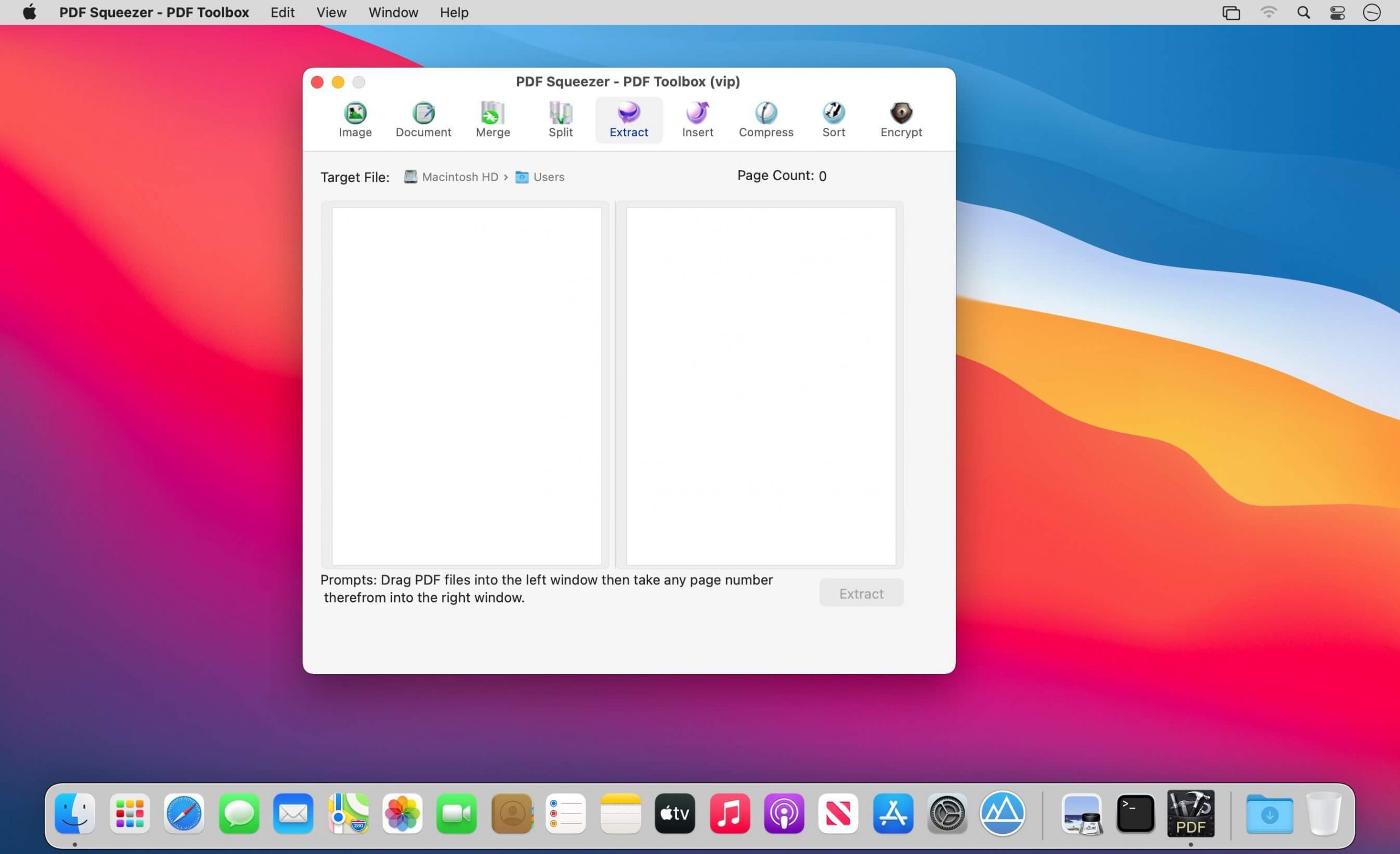
PDF Squeezer – PDF Toolbox được coi như công cụ PDF tất cả trong một, những tác vụ mà app cực kỳ nhỏ gọn này có thể làm được như: nén, gộp, chia, chèn, trích xuất hình ảnh, chuyển đổi hình ảnh, trích xuất văn bản, v.v… hầu như mọi công cụ cần thiết.
FEATURES:
1. Merge
You can easily merge various PDF files that you like into one which is convinent for managing and reading;
2. Split
You can arbitrarily split a PDF file at your convenience;
3. Extract
You can arbitrarily extract page number from one or more PDF files and merger into a new PDF file;
4. Insert
You can insert one PDF file into another;
5. Extract image
You can specify the page number of PDF file, and then extract the images or convert the whole page into any other image files in specified format(png,jpeg,bmp,tiff,gif);
6. Document
You can extract text in PDF and save as txt or rtfd format;
7. Compress
You can compress PDF files making files smaller to save your valuable disk space;
8. Sort
You can randomly sequence the page number of PDF file;
9. Encrypt
You can encrypt PDF files;


Tương thích hầu hết các phiên bản macOS
PDF_Squeezer_-_PDF_Toolbox_6.1.8
PDF_Squeezer_-_PDF_Toolbox_6.1.9
PDF_Squeezer_-_PDF_Toolbox_6.2.1
PDF_Squeezer_-_PDF_Toolbox_6.2.4
PDF_Squeezer_-_PDF_Toolbox_6.2.5
PDF_Squeezer_-_PDF_Toolbox_6.2.6
PDF_Compressor__PDF_Toolbox_6.2.8
PDF_Compressor__PDF_Toolbox_6.2.9
PDF Compressor PDF Toolbox 6.3.1
maclife

Phần mềm Post trên MacLife được tổng hợp từ nhiều nguồn. Phục vụ cho mục đích dùng thử. Nếu thấy apps có ích, hãy mua bản quyền để ủng hộ tác giả. App đã tải vui lòng xóa sau 24h
