

PhotoMill giúp bạn chuyển đổi một số lượng lớn hình ảnh thành các định dạng hình ảnh phổ biến khác, đặt tên tệp lại, điều chỉnh các thông số cơ bản như (độ sáng / bão hòa / phơi sáng / thang độ xám / v.v.), hoặc crop lại ảnh, xóa siêu dữ liệu riêng tư, exif của ảnh, thêm bản quyền của riêng bạn, v.v.
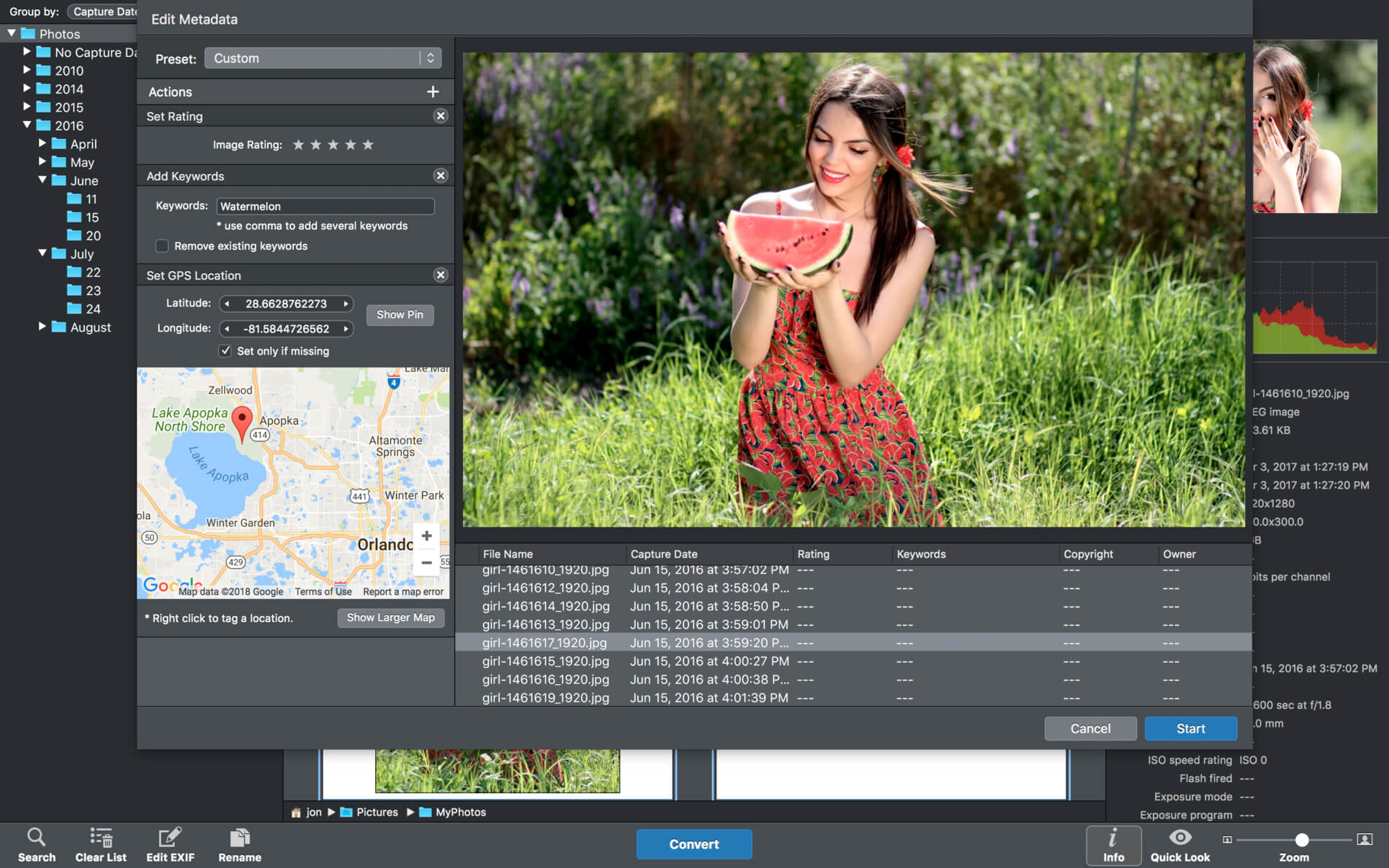
Ngoài ra, PhotoMill là một trình chỉnh sửa siêu dữ liệu, trình đổi tên và trình duyệt ảnh tuyệt vời.
Convert
- Conversion to: BMP, GIF, JPEG, JPEG 2000, PDF, PNG, TIFF
- Color models: RGB, Gray, CMYK Color depth: 8/16/32 bits; with or without alpha channel
Metadata editor
- Correct EXIF/IPTC metadata tags in your photos: place GPS coordinates, remove private information from your photos, correct or set capture dates, add your own copyright, keywords or rating.
Photo browser
- The app has a bunch of features for comfortable browsing and multi-criteria search of photos in the Browser. The Browser has 3 panels: Image Info – displays detailed information about a selected photo; Groups – splits photos into groups/subgroups based on a chosen criteria, for instance, by capture dates; Search – gives you an opportunity to search photos by different criteria.
Rename
- You can give meaningful names to converted photos constructing file names in the “pro” way – using text and tags: index, capture date, original name, image width, “find & replace” etc. Also, you can rename photos without any conversion.
Resize
- Fit image size with a bunch of geometry actions: scale, crop, add border, trim, trim color, rotate & flip, auto rotate (by EXIF orientation), change resolution.
Watermark
- Text – you can use photo metadata information – tags: capture date, keywords, camera maker etc., as well as entered text. Font size can be either fixed or relative to an image width, height, long or short edge. Multiline text, stroke, shadow, rotation, tiling and other features.
- Image – image size can be either fixed or relative to main image size. Image tiling is also available.
- Rectangle – background for text; square or rounded. Fill and stroke color can be half-transparent.
Adjust colors
- Available filters: auto contrast, auto white balance, gamma, contrast, exposure, sharpness, grayscale, sepia, colorize, temperature, HSL channels (Hue/Saturation/Lightness), HSV channels (Hue/Saturation/Value,Brightness), RGB channels, curves.
- Working with transparency: alpha mask, color to alpha, alpha to color. Color matching: assign profile, convert to profile, proof with profile.


PhotoMill_X_2.4.1
PhotoMill_X_2.4.2
PhotoMill_X_2.5.0
PhotoMill_X_2.6.0
PhotoMill_X_2.7.0
PhotoMill X 2.8.1
PhotoMill_X_2.8.2
PhotoMill_X_3.0.0
PhotoMill_X_3.0.2
PhotoMill_X_3.1.1
Các bản cũ hơn
maclife

Phần mềm Post trên MacLife được tổng hợp từ nhiều nguồn. Phục vụ cho mục đích dùng thử. Nếu thấy apps có ích, hãy mua bản quyền để ủng hộ tác giả. App đã tải vui lòng xóa sau 24h
