

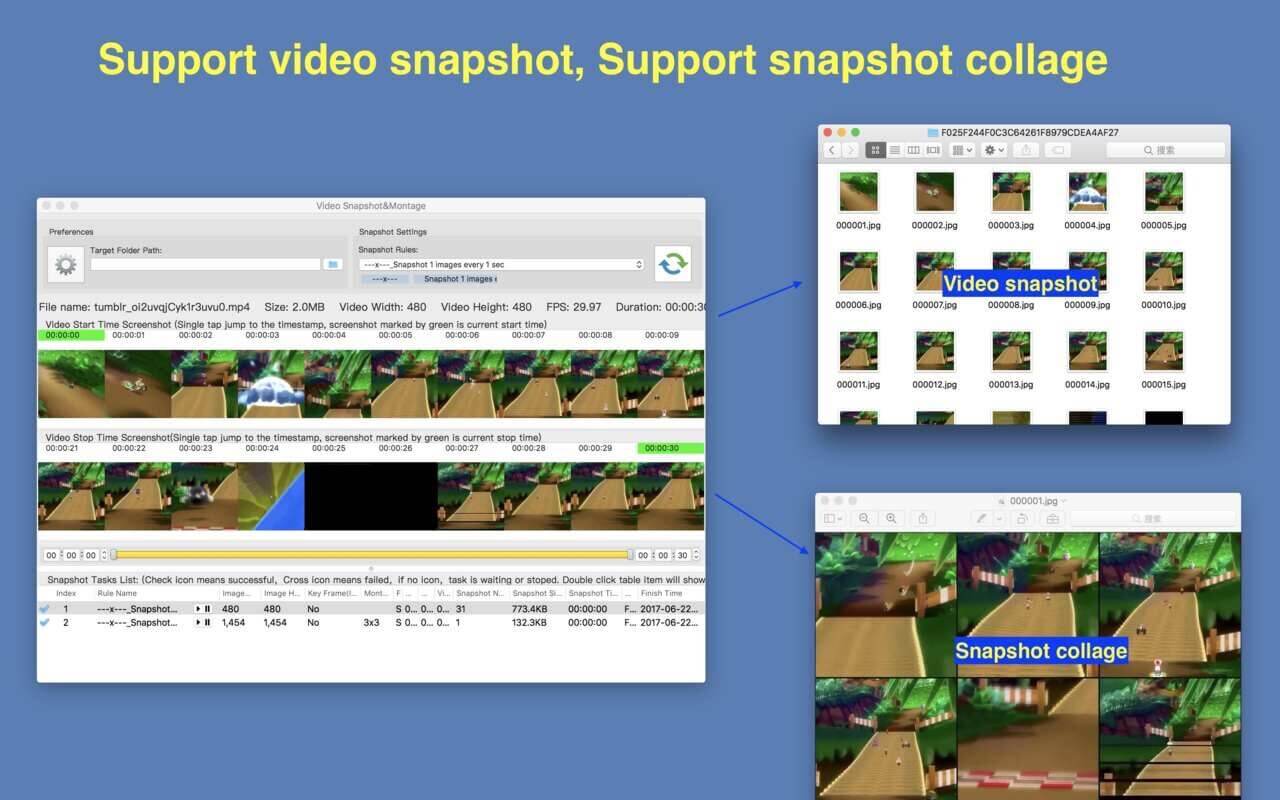
Video Snapshot&Collage đúng như cái tên của nó, công cụ giúp bạn trích xuất các ảnh trên video và đồng thời hỗ trợ tạo ảnh lồng ghép, thích hợp cho các bạn hay post phim để chia sẻ.
Key Feature
- Base on FFmpeg, support all popular video formats.
- Powerful and accurate video clips selection, you won’t miss any wonderful moment.
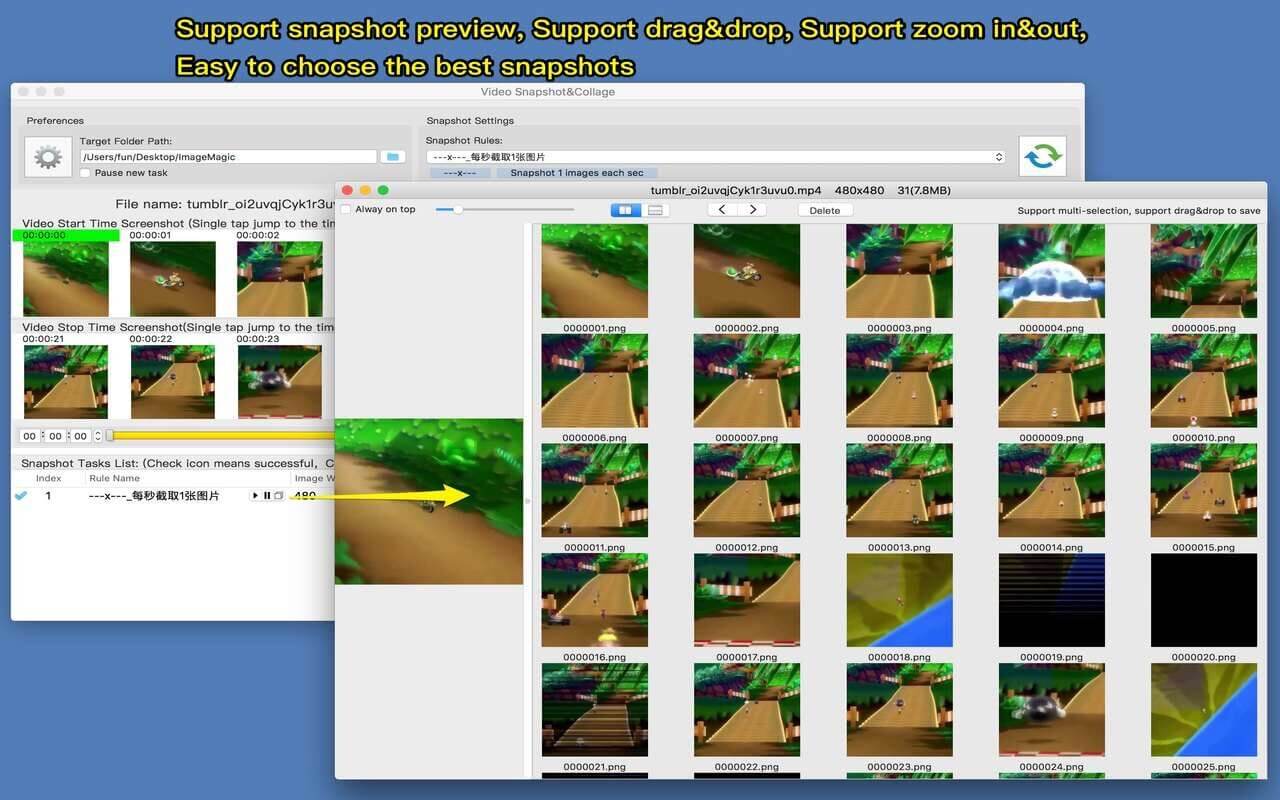
- Rich snapshot option, help to extract the most interesting video frame, and support snapshot preview, help to choose the best snapshot.
- Support collage several video snapshots into one image.
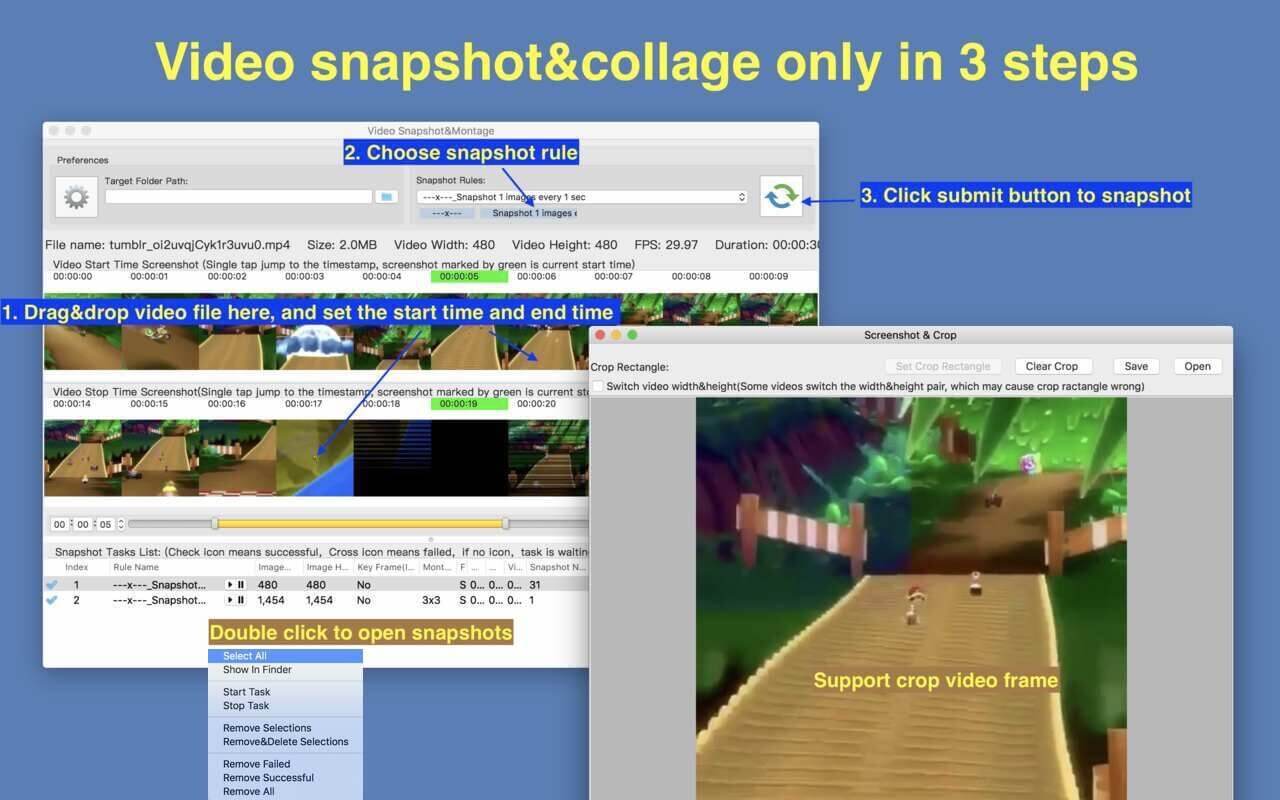
- Support video image crop, users can eliminate useless part of the video frame to reduce file size greatly.
- Support custom output image size, image number and etc
- Support iCloud sync.
- Emed FFplay, right click can play video from snapshot’s timestamp, help select video clips more accurate
How To Use it
- Step1: Drag&drop video file into the app
- Step2: Mark the start time and end time of interested video clip
- Step3: Choose snapshot rule and start to snapshot
Tương thích: macOS 10.12 or later
Video SnapshotCollage 2.4
Video SnapshotCollage 2.4.2
Video SnapshotCollage 2.4.3 [Universal M1 vs Intel]
Video SnapshotCollage 2.5
Thunder_Video_SnapshotCollage_2.7
maclife

Phần mềm Post trên MacLife được tổng hợp từ nhiều nguồn. Phục vụ cho mục đích dùng thử. Nếu thấy apps có ích, hãy mua bản quyền để ủng hộ tác giả. App đã tải vui lòng xóa sau 24h
